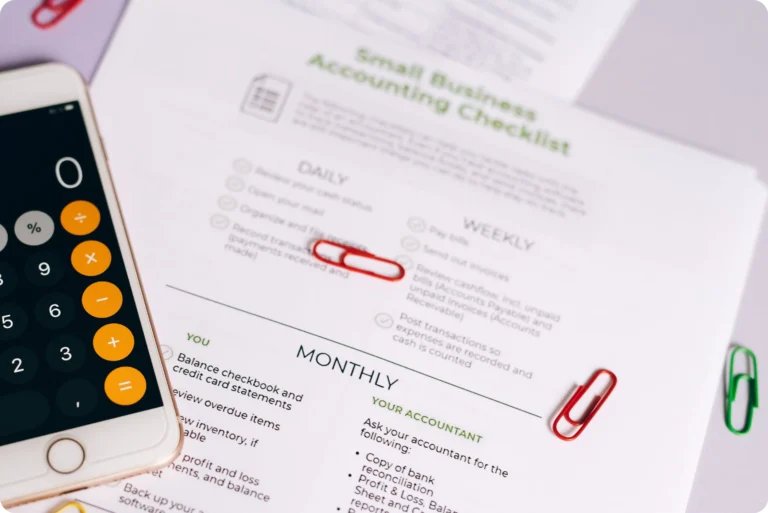
How to Undo a Reconciliation in QuickBooks Online
Made a mistake in QuickBooks Online? Learn how to undo a reconciliation, what breaks when you do, and why it's trickier for short-term rental portfolios.

Quick summary: You can undo a reconciliation in QuickBooks Online for a whole period or one transaction at a time, but the full-period undo also removes every later reconciliation and permanently deletes their reports. This guide walks through the two methods, the errors you can fix without undoing anything, and why the stakes are higher for short-term rental managers who hold owner money.
When You’d Need to Undo a Reconciliation
Reconciliation exists to confirm that your books and your bank statement agree. Needing to undo one usually means something didn’t match, or something was entered wrong before you clicked finish. The most common triggers:
- Wrong statement date or ending balance. A typo in the statement info throws off the whole period.
- Duplicate or missing transactions. A payout entered twice, or a transaction that never made it into the books at all.
- Misclassified transactions. Something reconciled against the wrong account or category.
None of these are unusual. Catching the error after the fact is normal, not a sign you did something wrong.
How to Undo a Reconciliation in QuickBooks Online
Method 1: History by Account (Primary Admin or In-House Accountant Role)
You can undo a full reconciliation period yourself, directly in QuickBooks Online, if you’re the Primary Admin of the company or if someone has assigned you the In-house accountant role. An accountant with access through Intuit Accountant Suite (formerly QuickBooks Online Accountant) can also do this on your behalf. Full official steps: Undo an entire reconciliation in QuickBooks Online.
- Go to All apps, then Accounting, then Reconcile.
- Select History by account.
- Select the account and date range, then find the reconciliation you want to undo.
- In the Action column, select the dropdown arrow, then select Undo.
- Review the consequences in the confirmation window, select the checkbox to acknowledge them, then select Undo reconciliation.
If you don’t see the Undo option, it’s a role issue, not an accountant-software requirement: ask your Primary Admin to assign you the In-house accountant role under Settings > Manage users to unlock it, or use the manual method below.
Method 2: Manual Undo by Transaction (No Primary Admin or In-House Accountant Role)
If you’re not the Primary Admin and don’t have the In-house accountant role, you can still undo individual transactions by changing their reconciliation status directly in the register. Full official steps: Undo or remove transactions from reconciliations in QuickBooks Online.
- Go to All apps, then Accounting, then Chart of accounts.
- Find the account and select View register.
- Find the transaction marked with an R (reconciled) in the checkmark column, and select it to expand the view.
- Select the box with the R repeatedly. Each click cycles its status: R (reconciled) to C (cleared) to blank (uncleared). One click only gets you to C, so from R you’ll need two clicks to fully un-reconcile the transaction.
- Select Save, then reconcile the account again correctly.
This works, but it’s transaction by transaction rather than a single click, so it’s slower for a full-period undo. It’s the right tool for fixing one or two line items rather than reversing an entire month.
What Breaks When You Undo a Reconciliation
Undoing a reconciliation isn’t free. A few things to know before you do it:
- The reconciliation report and its attachments are permanently deleted. Intuit says this can’t be recovered, so download any report or attachment you want to keep before you undo.
- Later reconciliations are undone too. Undoing a period also undoes every reconciliation completed after it, and the account’s beginning balance reverts to the ending balance of the reconciliation before it. If you undo March, any reconciliations for April and later go with it.
Given that risk, it’s worth backing up or exporting your records before undoing anything, and confirming the actual source of the mismatch rather than undoing on a hunch.
How to Fix a Reconciliation Error Without Undoing It
Undoing isn’t always necessary. Per Intuit’s own guidance on alternatives to undoing a reconciliation, several common errors can be corrected without reversing a completed period at all:
- Wrong beginning balance. If your statement’s beginning balance doesn’t match what’s in QuickBooks Online, you can correct the beginning balance directly instead of deleting the reconciliation.
- Reconciliation still in progress. If you haven’t clicked “Finish now” yet, you can close the reconciliation window without saving and restart selecting transactions. No undo needed, since nothing was finalized.
- Difference isn’t zero. If the difference between your statement and your books doesn’t reach zero, resolve it while you’re still reconciling. You don’t need to delete anything to do that.
It’s worth working through this list before asking an accountant to undo anything. It’s the difference between a quick fix and redoing a full month’s reconciliation.
A note on QuickBooks Desktop: this article covers QuickBooks Online. Desktop (Pro, Premier, Enterprise) handles undo differently. It reverses reconciliations one period at a time, so a multi-month error has to be unwound one reconciliation at a time. Online’s full-period undo also undoes later reconciliations automatically.
Why This Gets Harder for Short-Term Rental Property Managers
For a single-entity business, undoing and redoing a reconciliation stays inside your own books. For STR property managers, it can touch money that isn’t the business’s own.
A short-term rental portfolio runs multiple owners, multiple properties, and payouts arriving from several OTAs on different schedules, often bundled with fees, taxes, and adjustments buried inside a single deposit. If a reconciliation error touches transactions tied to owner funds sitting in a trust account rather than the business’s own operating account, an undo isn’t just a bookkeeping fix. It’s a question of which owner’s records were affected and whether their statement needs to be corrected too.
This is also where bookkeeping and reconciliation get conflated, and shouldn’t be. Bookkeeping organizes the transactions. Reconciliation verifies that what’s in the books actually matches what happened in the bank account. For the monthly workflow, see our step-by-step guide to reconciling a trust account for short-term rentals. Our guide to trust accounts and operating accounts goes deeper on why the two need to stay separate in the first place.
Manually reconciling one bank feed against one set of books is manageable. Manually reconciling OTA payouts against bookings, across multiple properties and owners, in a tool that wasn’t built to break batched payouts into individual line items, is where the “undo and redo” cycle becomes a recurring monthly task rather than an occasional fix. That’s a large part of why STR property managers benefit from accountants and tools built for the industry rather than adapting general-purpose accounting workflows to fit reservation-driven money movement. If you’re weighing whether QuickBooks alone covers what STR trust accounting needs, start with where QuickBooks works and where it breaks for Airbnb and our comparison of trust accounting tools for STR. Clearing is built specifically for that problem. It matches OTA payouts to bookings automatically, flags discrepancies for review, and keeps trust funds separate and reconciled, so mismatches surface before they compound across owners and properties. Book a free demo to see how it works with your portfolio.
FAQ
- Can I fix a reconciliation error without undoing it? Often, yes. A wrong beginning balance can be corrected directly, an unfinished reconciliation can simply be closed and restarted, and a difference that isn’t zero can be resolved before you finish reconciling. Editing a transaction that’s already reconciled isn’t a safe shortcut, since it can change that period’s balance and trigger a discrepancy.
- Can I undo just one transaction instead of a whole reconciliation? You can change a single transaction’s status from “R” to blank in the bank register without touching any other transaction. But it isn’t a clean, isolated fix: that period’s reconciled balance carries forward as the next period’s beginning balance, so un-reconciling one transaction will usually throw off the balance and show up as a reconciliation discrepancy. It’s the right move only when you’re prepared to resolve that discrepancy afterward, not a way to sidestep it.
- Do I need an accountant to undo a reconciliation in QuickBooks Online? Not necessarily. If you’re the Primary Admin, or someone in your company has the In-house accountant role, you can undo an entire period in one step yourself through History by Account, no outside accountant required. Otherwise, an accountant with Intuit Accountant Suite (formerly QuickBooks Online Accountant) access can do it for you, or you can unreconcile transactions manually in the register.
- Will undoing a reconciliation delete my transactions? No. Undoing reverts the reconciled transactions to uncleared or cleared status and permanently deletes the reconciliation report and attachments for that period and every later one. The transactions themselves stay in your books.
- What’s the difference between bookkeeping and reconciliation? Bookkeeping is the process of recording and organizing financial transactions. Reconciliation is the separate step of verifying that those recorded transactions match an outside source, like a bank statement or an OTA payout. Both matter, and one doesn’t substitute for the other.
- Why do reconciliation errors affect more than the bank feed for STR property managers? Because short-term rental portfolios hold money on behalf of owners in trust accounts, not just the property manager’s own operating funds. A reconciliation error touching a trust account can mean an owner’s records need correcting, not just the business’s own books.
Clearing is a Financial Technology Company, not a bank.